Sunday, 8 January 2012

Buy samsung Galaxy Tab only Rs 14490/-


Samsung Galaxy Tab P1010 Wi-Fi


Buy Now


- Free Shipping


Item Details

Gift Coupon Code: SR124782375070092 for 500/- off, Valid till midnight of 6 Jan Only. Products Description :
The Galaxy Tab P1010 from Samsung is a feature-rich tablet that is specially crafted to cater to your lifestyle. Running on the Android v2.2 (Froyo) operating system, this tablet packs in a number of multimedia features that will entertain you and is a perfect choice for people who prefer to carry their social world with them.
This Android tablet is powered by a 1 GHz Cortex-A8 processor that helps you multitask efficiently. For gaming aficionados, Samsung has loaded a PowerVR SGX530 GPU in the Galaxy Tab P1010 to have a seamless gaming experience. The TouchWiz user interface on the 7-inch display of the tablet enhances user experience by letting you customize the homescreens as per your requirements.
Letting you click brilliant quality pictures on the go is a 3 megapixel primary camera fitted at the rear of Tab P1010. The integrated LED flash allows you to take clear images even in low light conditions. The 1.3 megapixel secondary camera, located just above the screen, enables you to video chat with friends and family.
With 720p HD video recording support in this Samsung tablet, you can capture and playback the memorable events of your life in high definition. Features such as autofocus, shot modes, image and video editor and geo-tagging help you to have an enhanced photography experience. With the online image upload option, you can instantly share the images you click with the world.
Design
Sporting a TFT capacitive touchscreen with a resolution of 600 x 1024 pixels, the Samsung Galaxy Tab P1010 weighs 384.9 g and has dimensions of 120.3 x 189.9 x 11.9 mm. You will find the Menu, Home, Back and Search Android buttons beneath the screen. For an augmented user experience, Samsung has installed accelerometer, gyroscope and proximity sensors. On the top of the Galaxy Tab, you will find the headphone jack to which you can connect any generic headphone and personalize your music. The right side accommodates the microSD card slot, volume rocker and power buttons. You will find the dock connector and a pair of built-in speakers housed at the bottom of this Samsung tablet. The slim profile of the tablet makes it convenient to hold in one hand and is easily portable.
Storage and Battery
The Samsung Galaxy Tab P1010 ships with 16 GB of internal storage enabling you to store all your music, videos and images. However, if you wish for more space, you can insert a microSD or microSDHC card of up to 32 GB capacity into the memory card slot. Under the hood of this Samsung tablet, a 4000 mAh capacity Lithium-Polymer battery is fitted that lets you go unplugged for long hours. Connectivity
Internet connectivity on the Galaxy Tab P1010 can be achieved through Wi-Fi platform, allowing you to surf the Web effortlessly. The USB port allows you to connect the Tab to PC or laptop for sharing files. With Bluetooth integration in this Android tablet, you can easily transfer files to other devices in a convenient fashion sans any wires.
Features
You can create and edit business presentations on the ThinkFree Office document viewer and editor that is compatible with Microsoft Word, Excel and PowerPoint applications. Now check all your emails in real time with the help of Pushmail feature in this Galaxy Tab series tablet. You can always rely on the integrated GPS and supported Google Maps to find your way in a new locality or city. The Samsung P1010 is preloaded with an e-book reader where you can immerse yourself in your favorite books and magazines. The paperback size of the Galaxy Tab makes it a natural fit for e-books. Connect to your social world seamlessly with the Galaxy P1010 in your hands. With preloaded applications of Facebook, Twitter, MySpace, you are always connected to your network of friends and can get instant updates on what they are up to.
You can update your status messages conveniently as this tablet from Samsung features SWYPE functionality which triggers an auto-suggestion of words when you run your fingers over groups of letters. This Android device comes with all the Google paraphernalia such as Google Search, Google Talk and others. The Social Hub widget streamlines all email, SNS and IM contacts into one place.
With the YouTube application, you are guaranteed hours of entertainment, even on the go. The presence of Adobe Flashgives you an enriched web browsing experience. This tablet lets you access the ever-growing Android Market, enabling you to browse and download applications of your choice anytime and anywhere.
Key Features :
  • Android v2.2 (Froyo) OS
  • 7-inch TFT Capacitive Touchscreen
  • 1 GHz Cortex-A8 Processor
  • 3 MP Primary Camera
  • 1.3 MP Secondary Camera
  • Wi-Fi Enabled
  • Expandable Storage Capacity of 32 GB
General Features :
  • Series : Galaxy Tab
  • Processor : 1 GHz Cortex-A8
  • Graphics : PowerVR SGX530
Platform :
  • Operating System : Android 2.2 (Froyo)
  • User Interface : TouchWiz User Interface
  • Sensors : Accelerometer, Gyroscope, Proximity Sensor
Storage :
  • Internal Storage : 16 GB
  • Expandable Storage Capacity : 32 GB
  • Memory Card Slot type : microSD
Display :
  • Display Type : 7 inch TFT 600 x 1024 pixels , 16 M Colors
Camera :
  • Primary Camera : 3 megapixels
  • Secondary Camera : 1.3 megapixels
  • Flash Support : LED Flash
  • Video Recording : Yes , HD Recording at 1280 x 720 (30 fps)
  • Other Camera Features : Auto Focus, Geo-tagging, Shot Modes, Editing Modes, Online Image Uploading, Video Share, Image and Video Editor, Digital Frame
Business Features :
  • Mail Features : Email , Pushmail
  • Document Support : Document Viewer , Document Editor
  • Other Business features : Email Printing
Battery :
  • Battery Type : 4000 mAh Lithium - Polymer
Internet Connectivity :
  • Wi-Fi : Yes , 802.11 a/b/g/n
  • Pre-Installed Browser : WAP
Multimedia :
  • Video Playback : Yes , HD Playback
  • Video Formats Supported : MPEG4, H.263, H.264, DviX, XviD, 3GP, MP4, WMV, ASF, AVI
  • Audio Formats Supported : MP3, WAV, FLAC, AC3, SP-MIDI
Navigation :
  • GPS : Yes
  • Map Support : Google Maps
Connectivity :
  • USB : Yes, USB 2.0
  • Audio Jack : 3.5 mm Headphone Jack
  • Bluetooth : v2.1, Supported Profiles (SPP 1.1, A2DP 1.2, AVRCP 1.0, GAVDP 1.2, AVDTP 1.2, AVCTP 1.0, OPP 1.1)
Dimensions :
  • Dimensions : 120.3 x 189.9 x 11.9 mm
  • Weight : 384.9 g
Additional Features :
  • Widgets, Social and Media Hub, Spanish and English Language Support, Instant Messaging, SWYPE, Video Chat, Adobe Flash, YouTube, E-book Reader, Google Talk, Google Search, Voice Search, Alarm Clock, Calculator, Calendar, Date and Time, Samsung Kies, Facebook, Twitter, MySpace, Predictive Text Input, RSS

Read more ...

How to unlock "DOS" ?

Step 1. Open "Notepad"
Step 2. Type "Command"
Step 3. Save file as a extension name ".bat"
Step 4. Now its unlocked enjoy....
Read more ...

How to check my PC On/Off time ?


Chek Your Pc Off/On Time


Read more ...

7 Best Windows 7 Features


 Windows 7! Microsoft's successor to the widely-derided Windows Vista turns one year old today. It's been a wild, and hugely successful, ride: Microsoft's Brandon LeBlanc bloggedthat more than 240 million Windows 7 licenses have been sold to date, making it the fastest-selling operating system in history.
It's not hard to see why: Windows 7 is the easiest to use, most powerful OS Microsoft has ever built. It works great on desktops and laptops alike. Its networking capabilities are far superior to any previous versions, and security is very strong. In other words, you can use Window 7 with confidence, and get more work (or play) done.
Here some features available for you

  1. The Taskbar. This one addition changed everything for me. It makes Windows so much more usable. Being able to "pin" items to the taskbar makes getting to your most-often used programs is simple, and other features like "jump lists" also make you more productive.
  2. Aero Interface. I love the new desktop, which has a host of features. Aero really is just a translucent look -- windows show what's behind them. Again, it makes finding stuff easier. It also has a clean, professional look that Windows XP, for all the love it (still!) gets, can't touch.
  3. Action Center. The Windows 7 Action Center is an early-warning system for your computer. It's accessed through the little flag in the lower-right corner; if it's white, you're OK. If it has a red "X" over it, something important needs your attention. It's great for heading off problems before they become bigger.
  4. Themes. Yeah, Themes were available with Vista, but they've really come into their own with Windows 7. A theme is a package of desktop background and sounds that personalize your experience. I'm addicted to Themes, and use them constantly. I have at least 20 available, and am constantly on the lookout for more. (As a side note, not being able to use Themes is one of the top reasons to upgrade from Windows 7 Starter Edition, which comes with most netbooks.)
  5. Aero Snap. Part of Aero interface, Aero Snap lets you move around and resize open windows, one of the most common tasks most users perform. Its kissin' cousins, Aero Peek and Aero Shake, are also shortcuts for moving windows around. I strongly urge you to learn and use these tools if you don't already -- you'll be amazed at how much time you can save by taking advantage of what their capabilities.
  6. Windows Search. Search is vastly improved in Windows 7. Type a search term in the window (the window right above the Start key when you click on it), and in moment, you'll get a list of results. What's great is that the results aren't just presented as one huge list -- they're grouped into categories like Programs, Music and Documents. It makes finding your files a snap. Search is also lightning-fast; no more waiting, like in Vista or XP. Microsoft did it right with Windows Search.
  7. Windows Live Essentials. These are programs that formerly came bundled with Windows; programs like Windows Mail, Live Writer (blogging software), Windows Movie Maker, etc. They're now available as free downloads for Windows 7. Since they're not bundled, it makes Windows 7 less bulky and faster to install. This is a significant improvement, since Windows OSs have been getting bigger and more unweildy. In addition, Microsoft has improved them, and they're still absolutely free.
Read more ...

How to Speed up your PC ?

1st Tip
1.1 Click Start menu
1.2 Type Run
1.3 Type "Temp"
1.4 Delete all File
1.5 Close all windows

2nd Tips
2.1 Click Start Menu
2.2 Type "Disk Defragmenter" in Search Box
2.3 Open it
2.4 Press "Defragment Disk" and defragment all Drive one by one 

Read more ...

List of Run Commands Shortcuts.


List of Run Command Shortcuts

Go to StartMenu > RUN > Type the command

Accessibility Controls = access.cpl

Add Hardware Wizard = hdwwiz.cpl

Add/Remove Programs = appwiz.cpl

Administrative Tools = control admintools

Automatic Updates = wuaucpl.cpl

Bluetooth Transfer Wizard = fsquirt

Calculator = calc


Certificate Manager = certmgr.msc

Character Map = charmap

Check Disk Utility = chkdsk

Clipboard Viewer = clipbrd

Command Prompt = cmd

Component Services = dcomcnfg

Computer Management = compmgmt.msc

Date and Time Properties = timedate.cpl

DDE Shares = ddeshare

Device Manager = devmgmt.msc

Direct X Control Panel (If Installed) = directx.cpl

Direct X Troubleshooter = dxdiag

Disk Cleanup Utility = cleanmgr

Disk Defragment = dfrg.msc

Disk Management = diskmgmt.msc

Disk Partition Manager = diskpart

Display Properties = control desktop

Display Properties = desk.cpl

Display Properties (w/Appearance Tab Preselected) = control color

Dr. Watson System Troubleshooting Utility = drwtsn32

Driver Verifier Utility = verifier

Event Viewer = eventvwr.msc

File Signature Verification Tool = sigverif

Findfast = findfast.cpl

Folders Properties = control folders

Fonts = control fonts

Fonts Folder = fonts

Free Cell Game = freecell

Game Controllers = joy.cpl

Group Policy Editor (XP Prof) = gpedit.msc

Hearts Card Game = mshearts

Iexpress Wizard = iexpress

Indexing Service = ciadv.msc

Internet Properties = inetcpl.cpl

IP Configuration (Display Connection Configuration) = ipconfig /all

IP Configuration (Display DNS Cache Contents) = ipconfig /displaydns

IP Configuration (Delete DNS Cache Contents) = ipconfig /flushdns

IP Configuration (Release All Connections) = ipconfig /release

IP Configuration (Renew All Connections) = ipconfig /renew

IP Configuration (Refreshes DHCP & Re-Registers DNS) = ipconfig /registerdns

IP Configuration (Display DHCP Class ID) = ipconfig /showclassid

IP Configuration (Modifies DHCP Class ID) = ipconfig /setclassid

ava Control Panel (If Installed) = jpicpl32.cpl

Java Control Panel (If Installed) = javaws

Keyboard Properties = control keyboard

Local Security Settings = secpol.msc

Local Users and Groups = lusrmgr.msc

Logs You Out Of Windows = logoff

Mcft Chat = winchat

Minesweeper Game = winmine

Mouse Properties = control mouse

Mouse Properties = main.cpl

Network Connections = control netconnections

Network Connections = ncpa.cpl

Network Setup Wizard = netsetup.cpl

Notepad = notepad

Nview Desktop Manager (If Installed) = nvtuicpl.cpl

Object Packager = packager

ODBC Data Source Administrator = odbccp32.cpl

On Screen Keyboard = osk

Opens AC3 Filter (If Installed) = ac3filter.cpl

Password Properties = password.cpl

Performance Monitor = perfmon.msc

Performance Monitor = perfmon

Phone and Modem Options = telephon.cpl

Power Configuration = powercfg.cpl

Printers and Faxes = control printers

Printers Folder = printers

Private Character Editor = eudcedit

Quicktime (If Installed) = QuickTime.cpl

Regional Settings = intl.cpl

Registry Editor = regedit

Registry Editor = regedit32

Remote Desktop = mstsc

Removable Storage = ntmsmgr.msc

Removable Storage Operator Requests = ntmsoprq.msc

Resultant Set of Policy (XP Prof) = rsop.msc

Scanners and Cameras = sticpl.cpl

Scheduled Tasks = control schedtasks

Security Center = wscui.cpl

Services = services.msc

Shared Folders = fsmgmt.msc

Shuts Down Windows = shutdown

Sounds and Audio = mmsys.cpl

Spider Solitare Card Game = spider

SQL Client Configuration = cliconfg

System Configuration Editor = sysedit

System Configuration Utility = msconfig

System File Checker Utility (Scan Immediately) = sfc /scannow

System File Checker Utility (Scan Once At Next Boot) = sfc /scanonce

System File Checker Utility (Scan On Every Boot) = sfc /scanboot

System File Checker Utility (Return to Default Setting) = sfc /revert

System File Checker Utility (Purge File Cache) = sfc /purgecache

System File Checker Utility (Set Cache Size to size x) = sfc /cachesize=x

System Properties = sysdm.cpl

Task Manager = taskmgr

Telnet Client = telnet

User Account Management = nusrmgr.cpl

Utility Manager = utilman

Windows Firewall = firewall.cpl

Windows Magnifier = magnify

Windows Management Infrastructure = wmimgmt.msc

Windows System Security Tool = syskey

Windows Update Launches = wupdmgr

Windows XP Tour Wizard = tourstart

Wordpad = write .
Read more ...

How to change the Processor name ?

Have you ever think about change the name of ur processor ??
This are the few easy steps to change your processor name
enjoy guys

1) Click - START menu
2) Press - RUN
3) Type - regedit
Find..
HKEY_LOCAL_MACHINE - HARDWARE - DESCRIPTION - SYSTEM - CentralProcessor - and type this ProcessorNameString
Read more ...

MS Word help

Step 1 : Open word file
Step 2 : type =rand (200,99)
Step 3 : Press Enter
Read more ...

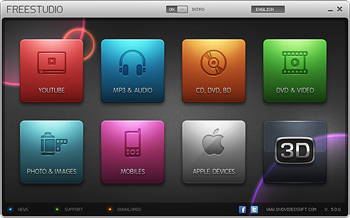
Download 'Free Studio' For Free (The Master Converter)

Read more ...

Saturday, 7 January 2012

How to remove restriction or unlock PDF file ?

Portable Document Format(PDF) is file format created by Adobe Systems in 1993 for document exchange. PDF is used for representing two-dimensional documents in a manner independent of the applicationsoftware, hardware, and operating systemPDF file format is used world wide to share important information. Some protect their PDF files withpasswords and restrictions that no body can copy or change their information.To remove PDF password we have a tool named as PDF Password Remover (CLICK HERE).
or 2) Click here
or 3) click here


Remove,Password,Restrictions,PDF File

This PDF Password Remover can decrypt the protected Adobe Acrobat PDF files with "owner password". Right click the PDF file, select Remove Restrictions or Remove Restrictions&Save as to descript the password. After the description, you can edit, print and copy the PDF files. All versions of Adobe Acrobat (including 9.x, which features 128-bit encryption) and 40-bits/128-bits RC4 and 128-bits AES encryption are available for this tool.
Read more ...

Wednesday, 4 January 2012

How to Speed up Rapidshare ?


Crack RapidShare Wait Limit

  1. Load the RapidShare download link.
  2. Scroll to bottom of the page, click on the “Free” button.
  3. The download page will load. Scroll to the bottom of the page again, you will get a download waiting time countdown.
  4. Instead of waiting for it, paste “javascript:alert(c=0)” into your web browser’s address bar, and press “Enter”.Rapidshare-Javascript
  5. Then, you will get a dialog like the following, press the “OK” button.Rapidshare-Zero-Wait
  6. You are done! You can start downloading immediately!
Tips: You can use “javascript:var c=0;” to skip the dialog but still get the same result
Read more ...